> ## Documentation Index
> Fetch the complete documentation index at: https://adadvisor.ai/docs/llms.txt
> Use this file to discover all available pages before exploring further.
# Connect Meta Ads
> Link your Meta (Facebook/Instagram) ad account to AdAdvisor so we can pull in your campaign data.
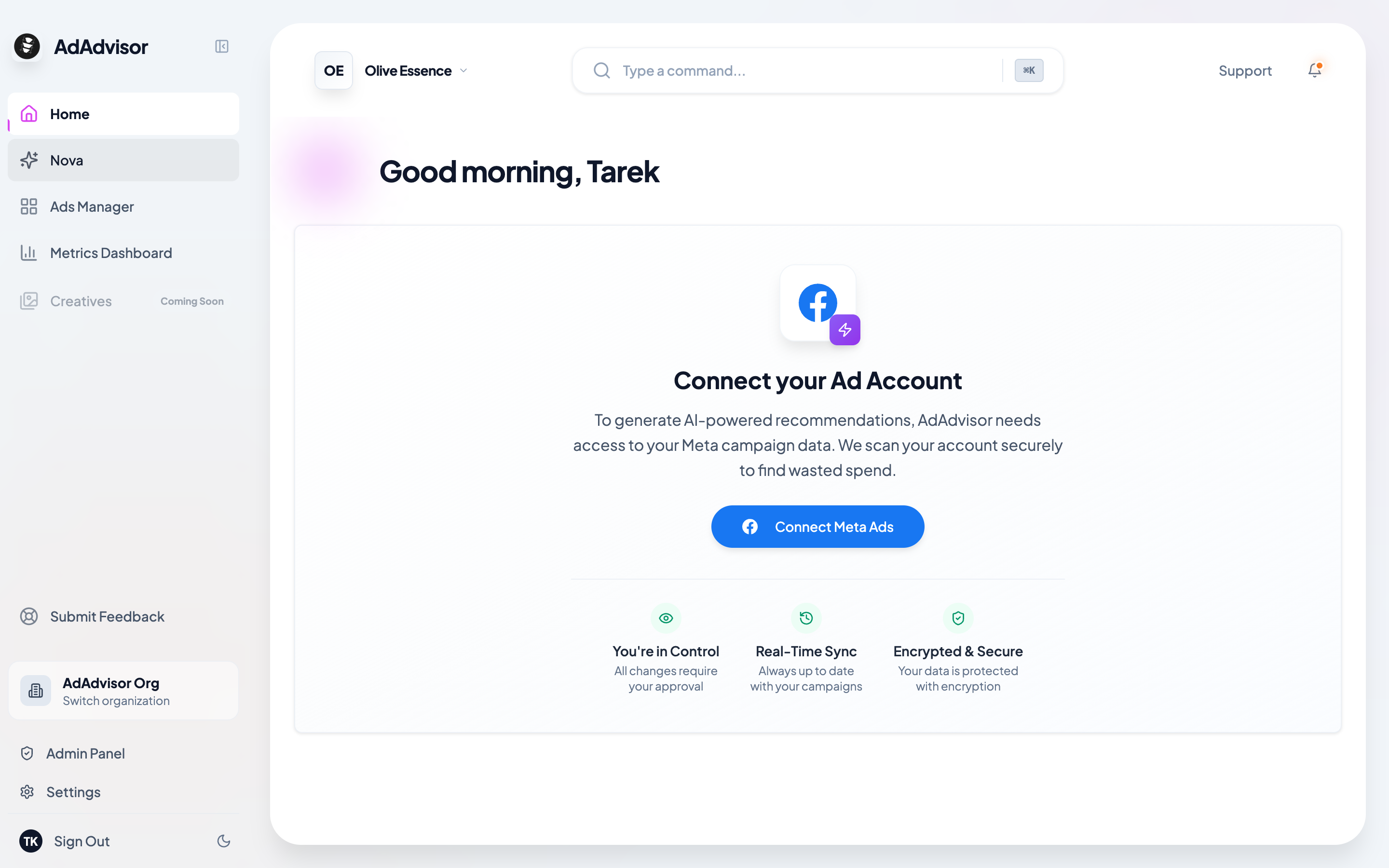
Now that you've completed onboarding, you should be logged into the app. On the home page, you'll see a "Connect Your Meta Ads" prompt.
 ## Connect your account
Click the "Connect with Meta" button on the home page. This opens a Facebook authorization window.
Log in to your Meta account (if you aren't already) and approve the permissions. This authenticates AdAdvisor with your Meta Ad account and allows us to pull in your campaign data so we can analyze it and generate recommendations.
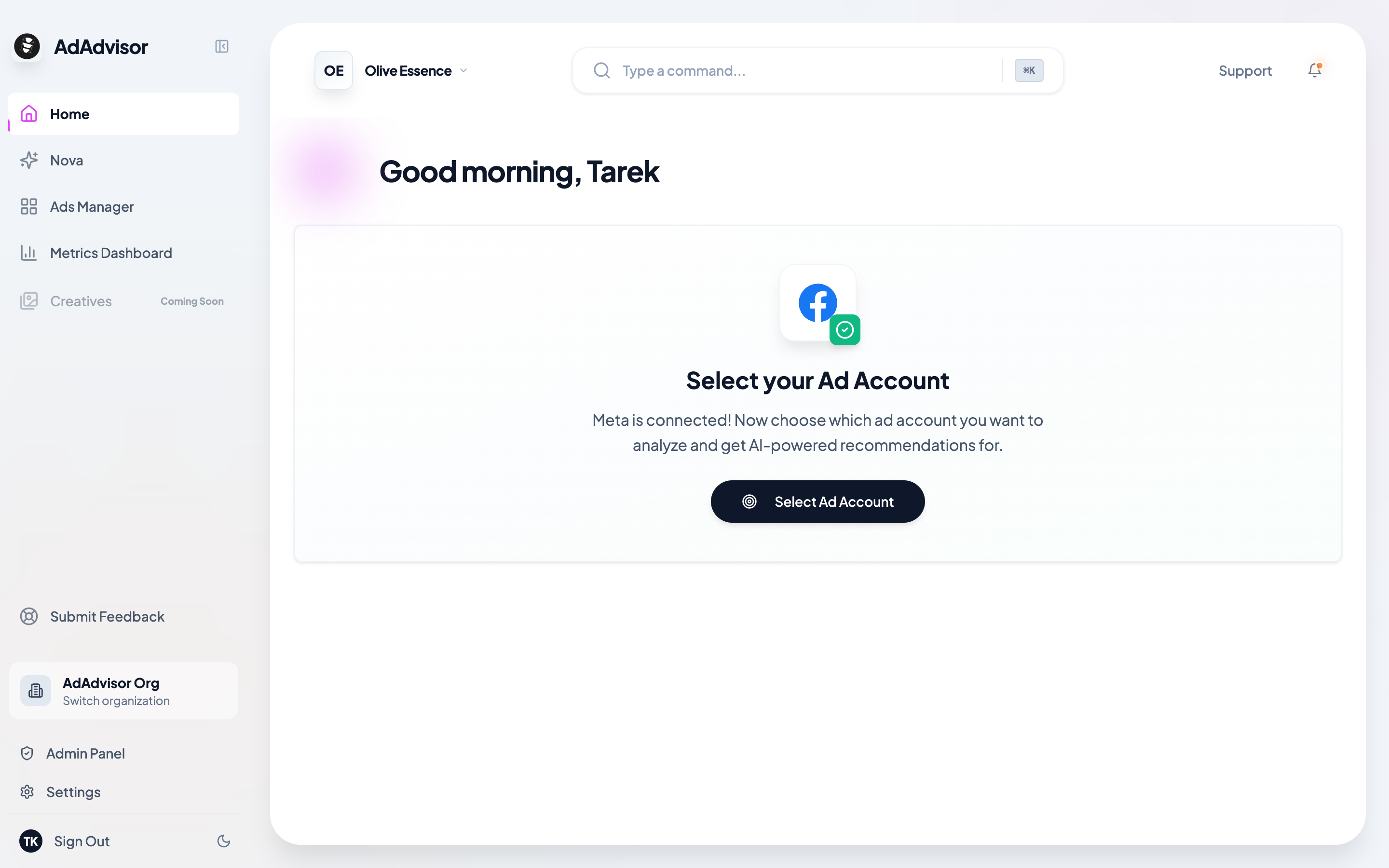
After approving, you'll be taken back to AdAdvisor. A dialog will pop up listing all the ad accounts under your Meta Business. Pick the one you want to connect.
## Connect your account
Click the "Connect with Meta" button on the home page. This opens a Facebook authorization window.
Log in to your Meta account (if you aren't already) and approve the permissions. This authenticates AdAdvisor with your Meta Ad account and allows us to pull in your campaign data so we can analyze it and generate recommendations.
After approving, you'll be taken back to AdAdvisor. A dialog will pop up listing all the ad accounts under your Meta Business. Pick the one you want to connect.
 That's it. Your Meta Ads account is now linked, and AdAdvisor will start syncing your data automatically.
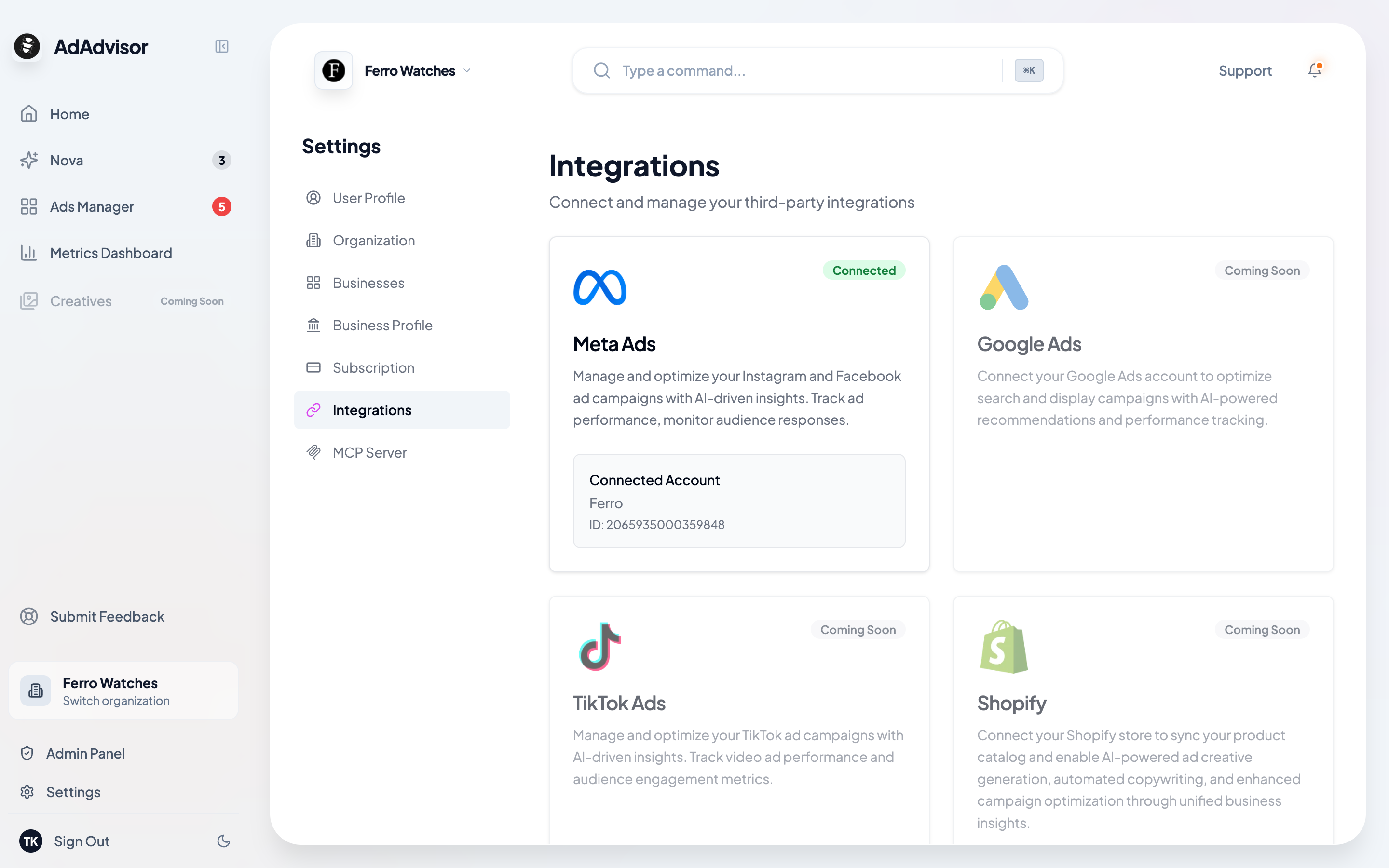
You can also manage your Meta connection from **Settings > Integrations** at any time. Go there to reconnect, switch ad accounts, or check your connection status.
That's it. Your Meta Ads account is now linked, and AdAdvisor will start syncing your data automatically.
You can also manage your Meta connection from **Settings > Integrations** at any time. Go there to reconnect, switch ad accounts, or check your connection status.
 ## What's next?
Once connected, AdAdvisor kicks off the initial data sync. Head to [Initial Data Sync](/docs/user-guide/initial-data-sync) to see what that looks like.
## What's next?
Once connected, AdAdvisor kicks off the initial data sync. Head to [Initial Data Sync](/docs/user-guide/initial-data-sync) to see what that looks like.