

What triggers recommendation generation?
Recommendations are generated on-demand. You click the Generate Recommendations button on either the dashboard or the Ads Manager page. The AI runs its analysis and delivers results within a couple of minutes.You can generate recommendations once every 24 hours. The button shows when your next generation will be available.
What data feeds the AI?
The recommendation engine looks at a lot of data before making suggestions:Campaign performance
- Daily metrics across multiple time windows: 3 days, 5 days, 7 days, 15 days, and 30 days
- Statistical analysis for each window: averages, medians, standard deviations, trends, volatility
- Metrics include: ROAS, CPA, CPC, CPM, AOV, spend, revenue, impressions, frequency, CTR, and conversions
Your business context
- Break-even ROAS or target CPL
- Average order value
- Daily budget cap
- Currency
Historical recommendations
The AI checks what it recommended before, how you responded, and what happened after. If you accepted a recommendation, the AI looks at how your performance changed as a result. That feedback loop helps it make better suggestions over time. If you rejected something, it factors that in too. And it won’t suggest the same thing again while it’s still waiting for results from a previous recommendation.Types of recommendations
Here’s an example of what a recommendation card looks like in AdAdvisor: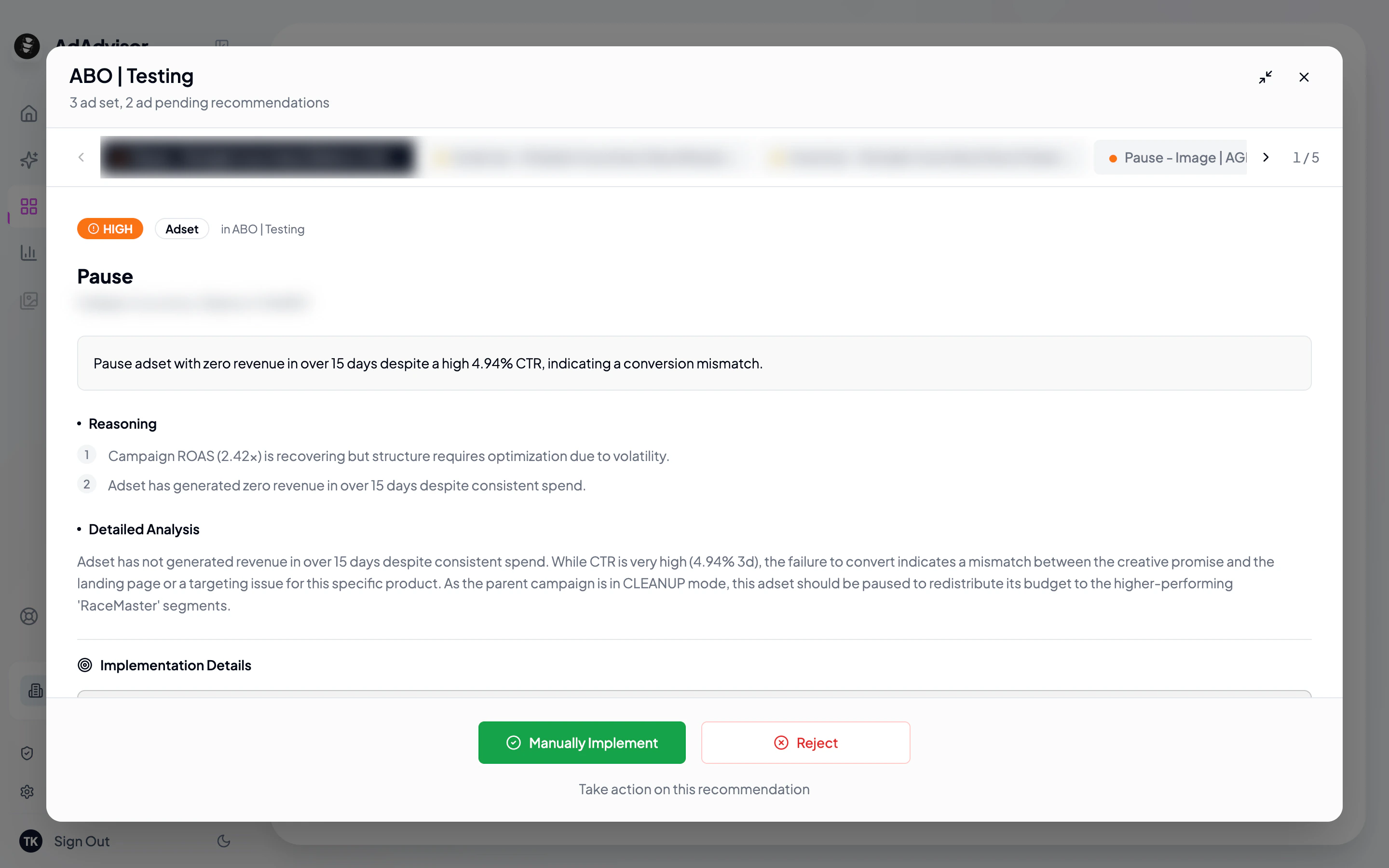
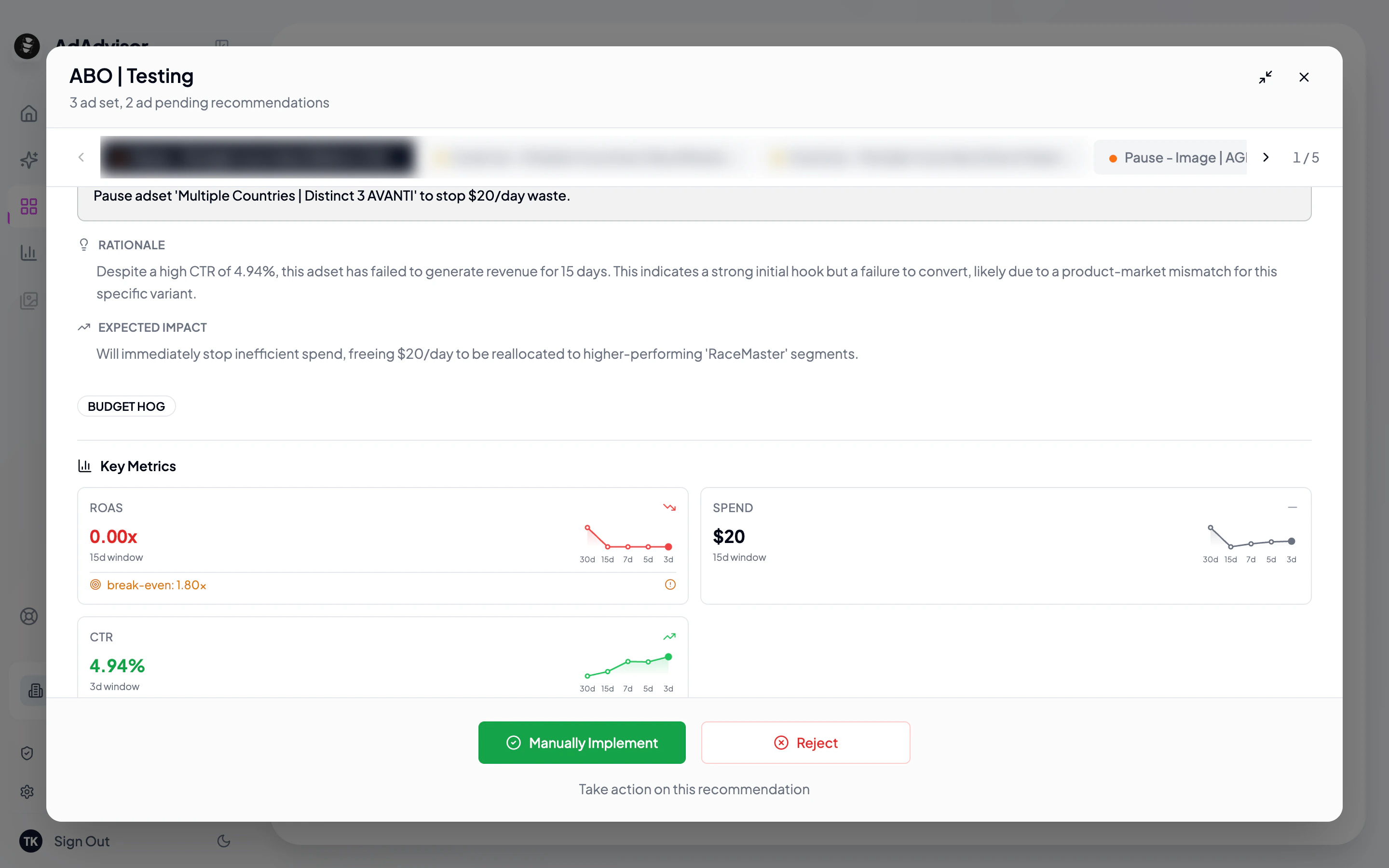
Budget actions
Creative and audience actions
Structural actions
Monitoring
Priority levels
Every recommendation is assigned a priority:What’s next?
Viewing Recommendations
Learn how to browse and understand your recommendations.
Implementing Recommendations
Take action on what the AI suggests.