

Viewing your organization
Go to Settings > Organization to see your current organization details.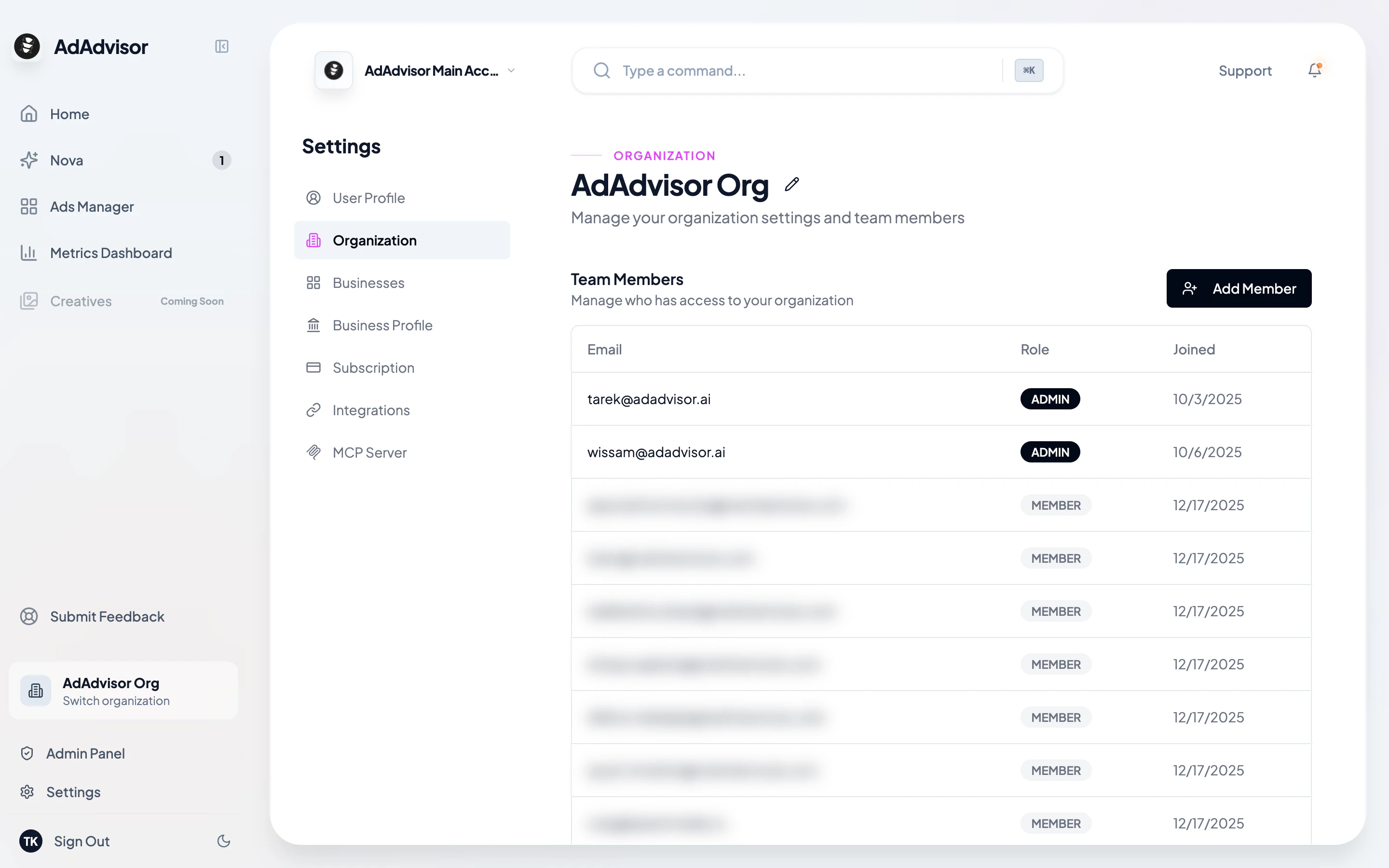
Editing the organization name
Click the pencil icon next to your organization name to rename it. Click the checkmark to save, or the X to cancel.Team members
The Organization page shows a table of everyone in your organization with their:- Email address
- Role (Admin or Member)
- Date they joined
Roles
The person who created the organization is automatically an Admin.
Inviting team members
1
Click 'Add Member'
On the Organization page, click the Add Member button to open the invite dialog.
2
Enter their email and a temporary password
Fill in the new member’s email address and a temporary password. The system creates their account and adds them to your organization.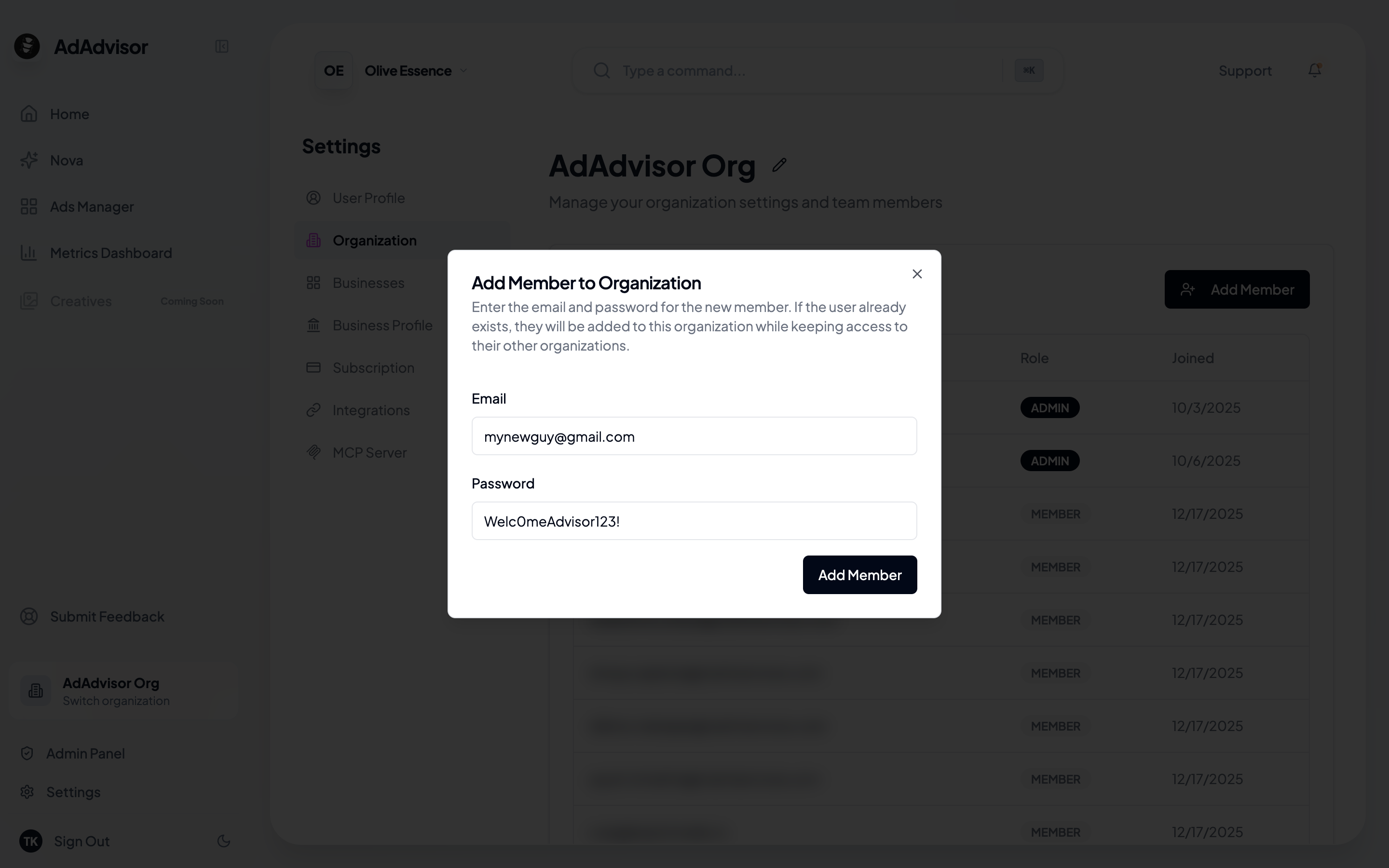
3
Share the credentials
Let the new team member know their email and temporary password so they can log in.