


Last updated: October 16, 2026. Facts checked against Meta Business Help Center pages in October 2026.
TL;DR
In 2026, a Facebook custom audience you include under Advantage+ audience is a suggestion by default, not a limit. Meta's Help Center says only location, minimum age, languages and custom audience exclusions work as hard controls. To deliver only to your audience, add it under "Further limit the reach of your ads" and uncheck "Use as a suggestion," which may switch Advantage+ audience off. Exclusions still bind.
Quick answer: A Facebook custom audience is a group you build from your own data, such as website visitors, customer lists, app users or people who engaged with your content. For the full definition and setup basics, see What are custom audiences?.
This guide is for advertisers who already use them and want to know what they still control inside Advantage+ audience. It sits within our wider guide to Facebook ads targeting.
Is a Facebook custom audience still a hard limit in 2026?
No, not by default. When you add a custom audience to an ad set that uses Advantage+ audience, Meta treats it as an audience suggestion. Meta's Help Center says suggestions inform its delivery AI, and Meta may show ads to people outside them when it expects better results (Meta Business Help Center).
The reason is mechanical. Meta's delivery system predicts who is likely to take your optimization event across everyone your controls allow, then bids for those people in the auction. A suggestion tells the model where to start looking, while a control removes people from the pool entirely, so Meta only enforces the inputs you have explicitly made controls.
For how Advantage+ works across campaigns, creative and placements, see our Meta Advantage+ guide.
The practical consequence: pure retargeting, meaning delivery only to the people in your audience, is no longer what a standard Advantage+ audience ad set gives you. If your "retargeting" ad set shows a large share of delivery outside your custom audience, that is likely the system working as designed rather than a bug.
Some third-party guides still describe age and gender as hard limits. Meta's current Help Center is more precise: the minimum age is a control, while the rest of the age range and gender are suggestions unless you limit them yourself (Meta Business Help Center). Interface labels can differ slightly by account and objective, so check your own ad set using the steps below.

Drowning in Meta Ads?
Put your campaign on autopilot with Nova.
Read moreWhat actually limits delivery for a custom audience?
Meta's Help Center lists four settings as audience controls under Advantage+ audience: location, minimum age, languages and custom audience exclusions. A custom audience inclusion only becomes a hard limit when you convert it into a control yourself.
| Setting | Default under Advantage+ audience | Does Meta deliver outside it? | Advantage+ audience stays on? |
|---|---|---|---|
| Location | Control | No, unless you choose "Reach more people likely to respond to your ads" | Yes |
| Minimum age | Control | No | Yes |
| Languages | Control | No | Yes |
| Custom audience exclusion | Control | No | Yes |
| Custom audience inclusion (default) | Suggestion | Yes, when Meta expects better results | Yes |
| Custom audience inclusion with "Use as a suggestion" unchecked | Control | No | May turn off |
| Age above the minimum, gender, interests and detailed targeting | Suggestion | Yes, when Meta expects better results | Yes (limiting them may turn it off) |
| Detailed targeting exclusions (interests, behaviors) | Removed from new and active Ads Manager ad sets starting March 31, 2025 | Not applicable | Not applicable |
Source: Meta Business Help Center pages on audience controls and suggestions, custom audiences in Advantage+ audience, custom audience exclusions and detailed targeting exclusions, checked October 2026. Labels can vary slightly by account and objective, so confirm what your own ad set shows.
The asymmetry is the useful part. A custom audience exclusion is a hard limit that keeps Advantage+ audience switched on, while making a custom audience inclusion a hard limit may cost you Advantage+ audience for that ad set. In 2026, a custom audience often does more reliable work as an exclusion than as an inclusion.
Two related changes narrow your options further. Starting March 31, 2025, Meta removed detailed targeting exclusions (interests and behaviors) from new ad sets and from active existing campaigns in Ads Manager, and it points advertisers to custom audience exclusions and account-level audience controls instead (Meta Business Help Center). Meta says an advertiser test found median cost per conversion was 22.6% lower without detailed targeting exclusions, a figure from the platform itself rather than an independent study.
Some campaigns cannot use Advantage+ audience at all. Meta says Special Ad Category campaigns for financial products and services, employment or housing, and ads about social issues, elections or politics, do not have access to it, so their audience options work differently (Meta Business Help Center).
Whether narrowing age, gender or interests is still worth doing is a separate decision, covered in our guide to narrow vs broad audiences on Facebook ads.
How do you make Meta deliver only to your custom audience?
You turn the custom audience from a suggestion into a control. Meta documents this in its Help Center (Meta Business Help Center):
- Open the ad set and go to Audience.
- Select "Further limit the reach of your ads" (in some accounts, "Further limit your audience").
- Add your custom audience there.
- Uncheck "Use as a suggestion."
- Review the warning: Meta says you may no longer be using Advantage+ audience once you do this.
If Ads Manager then shows Advantage+ audience as off for that ad set, that is the expected result, not an error. Meta frames the choice as a trade-off between fewer missed opportunities and less algorithmic reach. Meta also says some changes keep Advantage+ audience on, such as excluding a custom audience or raising the minimum age to 25 (Meta Business Help Center).
Meta's own testing guidance supports this split. Meta recommends A/B testing Advantage+ audience for almost all campaign types, but states: "If you're running a retargeting campaign, then Advantage+ audience isn't recommended" (Meta Business Help Center). For the strategy side of retargeting, such as funnels, recency windows and creative, see our Facebook retargeting guide.
The Control-or-Suggestion Check
The Control-or-Suggestion Check is a 60-second setup audit that confirms whether an ad set treats your custom audience as a suggestion or a control. It checks configuration; it cannot show which individual impressions came from inside the audience. Run it on any ad set where the audience matters:
- Find the label. Is the custom audience listed under audience controls or under suggestions?
- Check the box. If it sits under "Further limit the reach of your ads," is "Use as a suggestion" still checked?
- Check the exclusions. Are recent purchasers or current customers excluded as a custom audience, so they are blocked regardless of Advantage+?
- Check the account level. In Advertising settings → Audience controls, are account-wide locations, minimum age, brand protection or employee exclusions already set? Meta says account-level controls do not change an ad set's Advantage+ state, which makes them a useful second layer of exclusions (Meta Business Help Center; Meta Business Help Center).
- Read delivery as a signal, not proof. Age, gender, region and placement breakdowns in reporting can show delivery drifting beyond what you set, though they cannot confirm audience membership. Meta's audience size estimate can show "Unavailable" for privacy reasons, so it is not a delivery audit on its own.
If step 1 says "suggestion" and you expected retargeting-only delivery, that setting likely explains the gap you see in reporting.
Which custom audience sources exist, and how do you create one?
To create a custom audience on Facebook, go to Audiences in Meta Ads Manager, choose Create audience → Custom audience, pick a source, set its rules and retention, then name it. This guide groups the sources a Facebook custom audience is based on into four practical families: website activity, customer lists, app activity and engagement with your Facebook or Instagram content. Each behaves differently on size, freshness and match quality.
Businesses with in-store or phone sales can also send offline event data to Meta, which is a separate path not covered in this table.
| Source | What it captures | How long people stay | Match quality depends on |
|---|---|---|---|
| Website | People who visited pages or fired events, via the Meta Pixel and Conversions API | 1 to 180 days; up to 730 days for purchase events | Pixel and server event coverage |
| Customer list | People in a list you upload (email, phone and other identifiers) | No retention window, but Meta marks the audience Outdated after 30 days without an update, which may affect delivery | Number and quality of identifiers; Meta shows a 0 to 10 match score |
| App activity | People who took actions in your app | Set per audience in Ads Manager | App event setup |
| Engagement | People who interacted with your Facebook or Instagram content, such as videos, lead forms or profiles | Set per engagement type in Ads Manager | How much engagement your content gets |
Sources: Meta Business Help Center, website custom audience retention; Meta Business Help Center, customer list formatting and match score.
A few operational details that tend to matter more than the source choice:
- Website audiences: you can combine up to five rule sections (at least one must include people), with up to five filters and ten parameters per event (Meta Business Help Center). Meta's Help Center says a website audience populates from the time you create it and does not backfill earlier visitors, so build the audiences you will need early (Meta Business Help Center). Audiences built through the Marketing API are different: Meta's developer documentation describes a prefill setting, on by default, that can include website activity recorded before creation, up to 180 days.
- Customer lists: Meta recommends at least one main identifier and, for better matching, several. You can upload up to three email and three phone columns, phone numbers need a country code even for domestic lists, and country works best as a separate two-letter column (Meta Business Help Center).
- Match score: Meta reports a 0 to 10 score in 0.5 steps, calculated as matched rows divided by uploaded rows for the last successful upload. Meta does not publish match-rate benchmarks by identifier or industry, so treat any percentage you see quoted as a vendor estimate.
- B2B lists: lists that contain only work emails tend to match poorly, because many people use a personal email for Facebook and Instagram. Adding phone numbers or other identifiers you are allowed to use is usually the biggest lever.
Website audience quality depends on how many events reach Meta in the first place. If browser tracking is losing events, the Meta Conversions API can send the same events server-side as a complement to the Pixel. When it is implemented and deduplicated correctly, it can help more of those events reach Meta, which is likely to help website audiences stay fuller.
What changed in 2026: purchase audiences can now hold 730 days
Website custom audiences built on purchase events can now keep people for up to 730 days (two years), up from the 180-day limit that applies to other website events. Meta's Help Center now states retention of "up to 180 days, or two years for purchase events" (Meta Business Help Center).
Meta's Help Center does not say when the change rolled out or what happened to audiences built earlier. A third-party guide from October 2026 suggests that purchase audiences built with 180 days before May 2026 were "probably" extended to 730 days automatically, but presents this as unconfirmed (LeadsBridge). Check the retention field on your existing purchase audiences in Ads Manager before you rely on either window.
For DTC brands, this likely changes retention logic in three places:
- Exclusions get more complete. A two-year purchaser exclusion can keep prospecting budget away from past buyers that a 180-day window would have let back in.
- Win-back gets possible on the pixel alone. Customers who bought 6 to 24 months ago can be reached without uploading a customer list, which helps brands with annual or seasonal purchase cycles.
- Audience sizes may jump. If existing purchase audiences did extend automatically, any ad set using them may now reach a larger and older pool than before. Reviewing frequency and results after the change is a sensible precaution.
Why is my custom audience too small to deliver?
For customer lists, Meta says a list should include at least 1,000 customers (Meta Business Help Center). Meta's Help Center does not publish an equivalent number for website, app or engagement audiences. In practice, many advertisers treat about 1,000 matched people as a working floor for any custom audience, but that is a practitioner heuristic rather than a Meta rule.
Below the practical floor, a few things tend to happen. Delivery may stall or spend unevenly, frequency usually climbs because the same people are served repeatedly, and an ad set optimizing for conversions may struggle to gather enough results to stabilize. None of this is guaranteed at any exact number, since budget, retention window and how many matched people are active on Meta all play a part.
If your audience is too small, these fixes usually help, roughly in this order:
- Lengthen retention. Purchase audiences can now go up to 730 days, other website events up to 180.
- Combine sources. Website visitors plus a customer list plus engagement audiences usually produce a larger pool than any single source.
- Improve matching. Add identifiers to customer lists and fix event coverage with the Conversions API.
- Wait for "Ready." An audience must reach Ready status before it can be used, and the size estimate may show "Unavailable" for privacy reasons even when the audience works.
For sizing by recency and splitting warm audiences by funnel stage, the Facebook retargeting guide goes deeper. To use a custom audience as a seed for reaching new people, see Facebook lookalike audiences.
How does an AI media buyer use custom audiences now?
An AI agent buying on Meta works inside the same rules as a human: it can only rely on what Meta actually enforces. That makes exclusions and hard controls, such as location, minimum age and custom audience exclusions, more important inputs for an agent than interests or inclusion suggestions. An approval-based agent such as Nova is set up with guardrails like spend ceilings, geographies and exclusions, and asks before stepping outside them, so keeping your custom audience exclusions current is likely one of the most important audience inputs you can give it.
Frequently asked questions
Summary
A Facebook custom audience in 2026 is a suggestion by default inside Advantage+ audience, and Meta may deliver beyond it. Meta's Help Center lists location, minimum age, languages and custom audience exclusions as the hard controls, which makes exclusions the most dependable way to use a custom audience without giving up Advantage+. When you need delivery only to your audience, as in most retargeting, add it under "Further limit the reach of your ads" and uncheck "Use as a suggestion," accepting that Advantage+ audience may turn off. Pair that with the new 730-day window for purchase audiences, a working floor of about 1,000 matched people and the Control-or-Suggestion Check, and your audiences will likely do what you expect them to.
AdAdvisor brings more than 8 years in media buying, over $60M in managed ad spend and an ex-Meta engineer on the team. Its AI media buyer, Nova, works inside your spend ceilings, geographies and exclusions, and by default nothing executes until you approve. Nova is invite-only while its founding cohort onboards.
Sources
- Meta Business Help Center: About audience controls and audience suggestions in Advantage+ audience
- Meta Business Help Center: Choose audience settings in Advantage+ campaigns
- Meta Business Help Center: How to use Advantage+ custom audience
- Meta Business Help Center: What turns Advantage+ on and Advantage+ off
- Meta Business Help Center: About Advantage+ audience
- Meta Business Help Center: Updates to detailed targeting
- Meta Business Help Center: Set audience and placement controls for your ad account
- Meta Business Help Center: Options to create a website custom audience
- Meta Business Help Center: Create a website custom audience
- Meta Business Help Center: Customer list formatting guidelines for custom audiences
- Meta Business Help Center: How to use custom or lookalike audiences
- Meta for Developers: Website Custom Audiences
- LeadsBridge: A step-by-step guide to Facebook custom audiences (third-party, October 2026; source for the unconfirmed automatic extension of older purchase audiences)
Related guides

Strategy & Planning
Facebook Ads Targeting: The Complete 2026 Guide
Every Facebook ads targeting option in 2026: broad, interest, custom audiences, and lookalikes, what Meta removed, and a framework for choosing the right targeting for each goal.
Read more
Performance Optimization
Facebook Retargeting Ads: How to Set It Up and Make It Work (2026)
How Facebook retargeting works in 2026: audience size floors, pixel plus Conversions API, exclusion audiences that stop wasted spend, and a step-by-step setup.
Read more
Strategy & Planning
Facebook Lookalike Audiences in 2026: Do They Still Work?
Facebook lookalike audiences still work in 2026, but the lever moved from seed size to seed quality. Value-based lookalikes built from your highest-LTV customers are the version worth running, while broad plus Advantage+ has closed most of the gap for generic cold prospecting.
Read more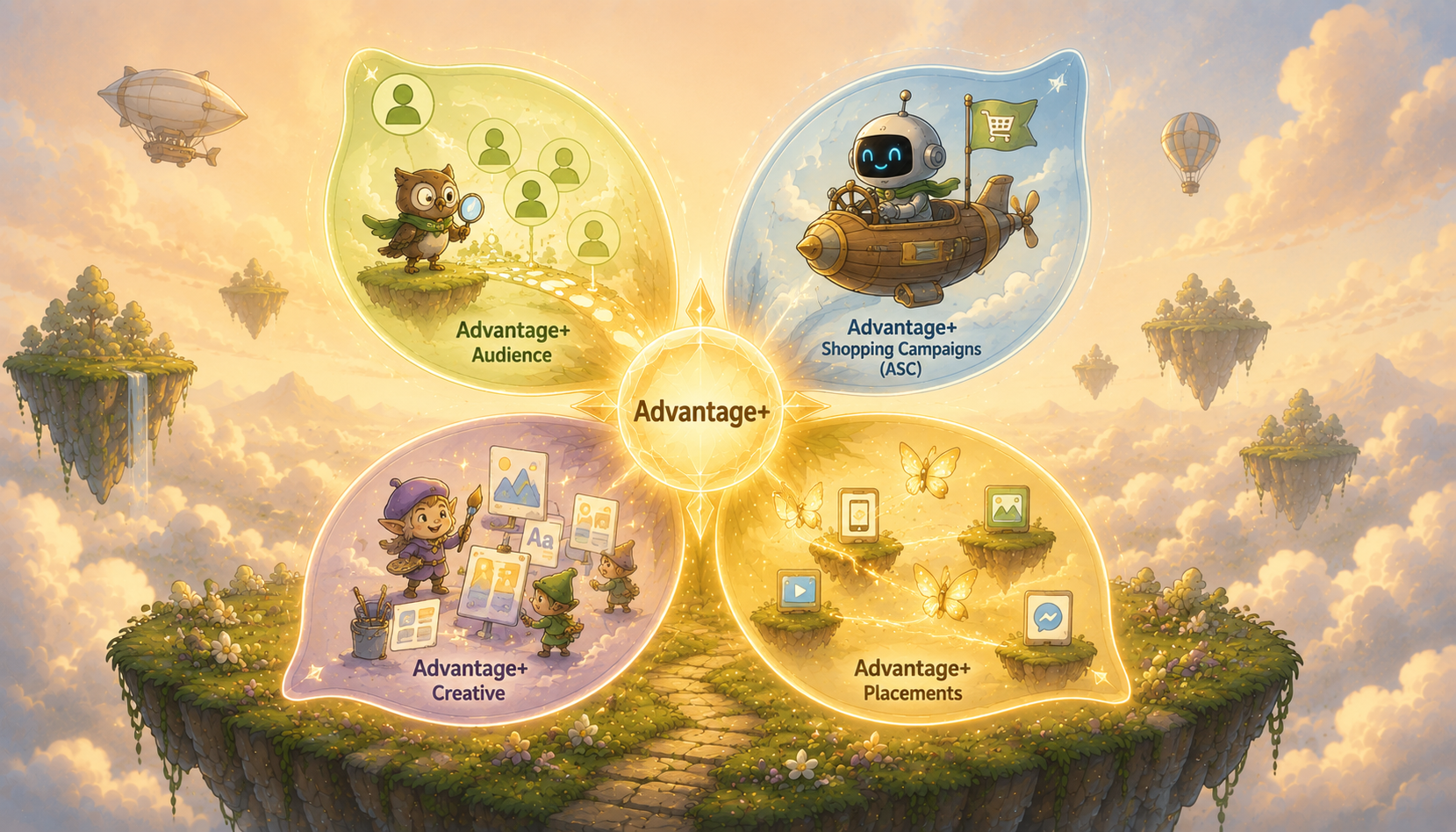
Strategy & Planning
Meta Advantage+: The Complete Guide to All Four Types (And When to Use Each)
Meta Advantage+ in 2026: Advantage+ Sales Campaigns (formerly ASC), plus Advantage+ Audience, Creative, and Placements. What each does and when to use each.
Read more


